Every production element, pulled from the page
Extract and organize the cast, locations, props, wardrobe, looks, effects, sound, and equipment needed for every scene. Curate the result and export a clean production list for your crew.
See how it works ↓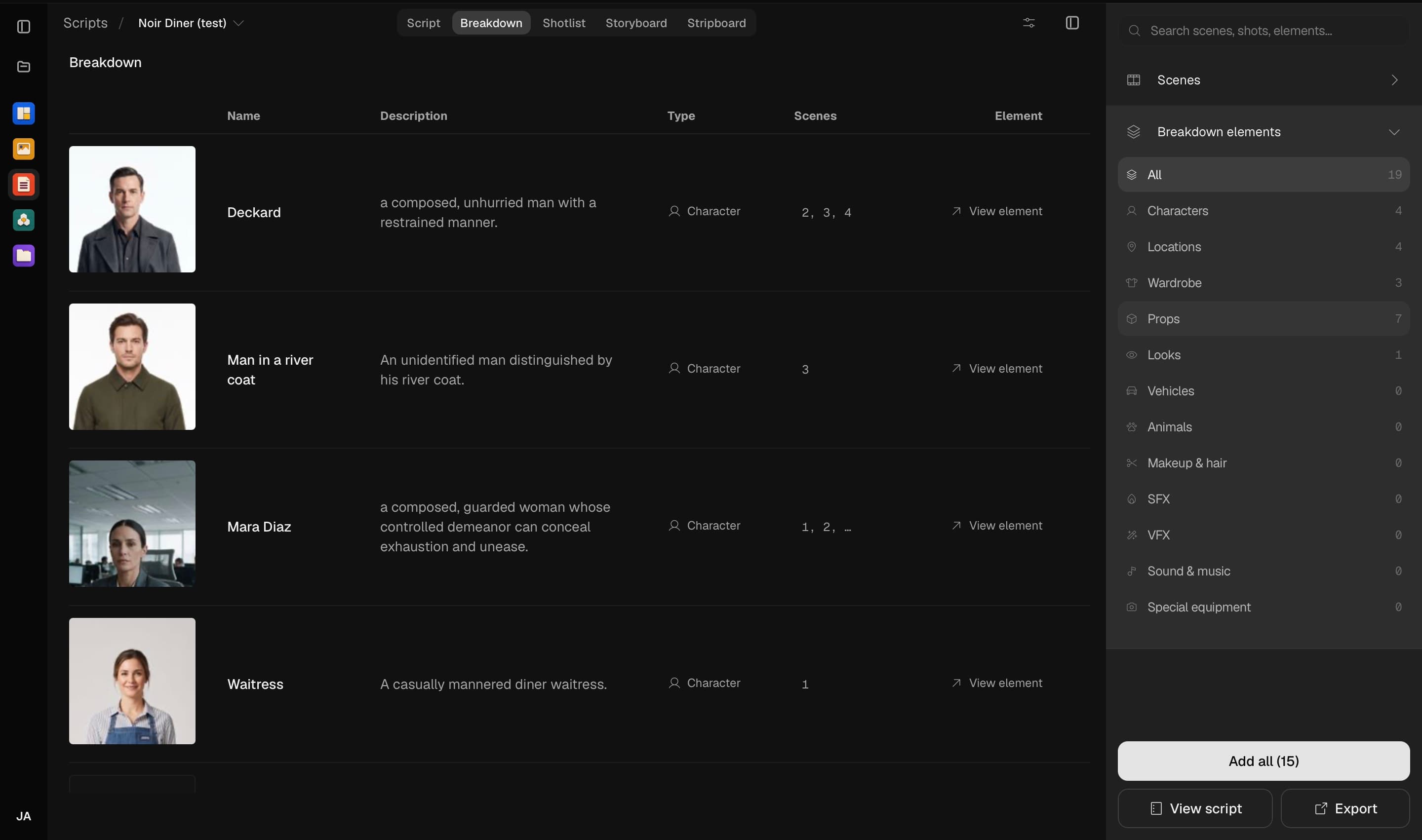
How it works
Import or write the screenplay and plan its shots
Generate a deduplicated breakdown across every scene
Curate the list, promote reusable elements, and export it
Featured examples
Characters, locations, and production elements extracted from a screenplay and organised for review
Every recurring production requirement is organized in one place, with its type and source scenes attached.
Find what a scene needs
Identify the characters, locations, props, and other elements described by the screenplay.
Establish the production references
Review recurring elements before they carry into shot planning and visual development.
Explore other tools
View all create tools ↗


FAQ
What does Script Breakdown do?
Breme turns a screenplay and its planned shots into a production breakdown. It deduplicates recurring characters, locations, props, wardrobe, looks, vehicles, animals, makeup and hair, SFX, VFX, sound and music, and special equipment, then shows where each item appears so the list can be curated before production.
How can I get better results?
Check implied elements as well as explicit names. Merge duplicate references deliberately and verify that recurring locations and characters are identified consistently.
Review a scene against the script, checking named props, implied wardrobe, background performers, and recurring locations.
What capabilities and formats are supported?
- Breakdown categories
- Characters, locations, props, wardrobe, looks, vehicles, animals, makeup & hair, SFX, VFX, sound & music, special equipment
- Curation
- Add, edit, dismiss, restore, deduplicate, and link items
- Production elements
- Promote visual identities into reusable characters, locations, props, wardrobe, and looks
- Export
- Breakdown CSV and printable PDF
What does the breakdown identify?
It covers twelve production categories: characters, locations, props, wardrobe, looks, vehicles, animals, makeup and hair, SFX, VFX, sound and music, and special equipment.
Can I correct or add items myself?
Yes. Rename and describe items, add anything the extractor missed, dismiss false positives, restore dismissed entries, and link duplicates to an existing production element.
How does it connect to the production bible?
Visual identities such as characters, locations, props, wardrobe, and looks can be promoted into reusable production elements. Planning-only tags such as SFX and equipment stay on the breakdown and stripboard.