
Stripboard
Turn scenes into a shootable schedule. Arrange every scene into shooting days with cast, location, page count, day breaks, banners, and an unscheduled boneyard in view.
Breme builds a stripboard directly from the screenplay. Every scene becomes a strip with its scene number, interior or exterior, location, time of day, page-eighth count, and numbered cast; drag strips into shooting order, split them across shooting days, date the schedule, add banners, and keep unscheduled scenes in the boneyard.
| Per strip | Scene, INT/EXT, location, time of day, page range, calculated eighths, cast numbers |
|---|---|
| Scheduling | Drag-and-drop shooting order, dated days, notes, and banners |
| Unscheduled work | Boneyard keeps scenes available without deleting them |
| Source of truth | Scene facts stay linked to the current script and breakdown |
The stripboard inside the current Breme script studio, using the same product screenshot shown on the Breme homepage.
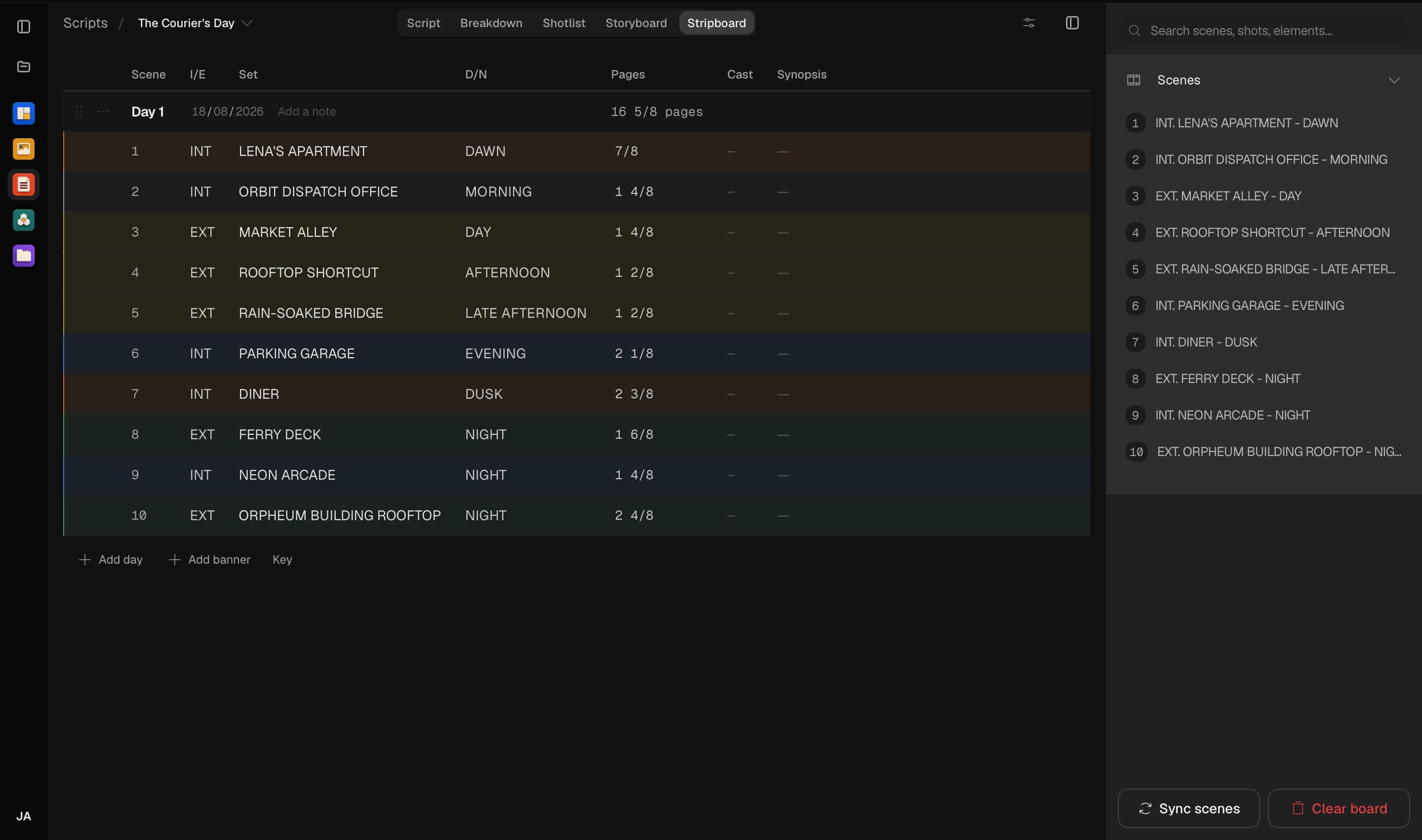
Scenes become production strips that can be reordered across shooting days while cast and page totals stay visible.
Three steps, no learning curve
Build the board from the screenplay scenes.
Drag strips into shooting order and split them into days.
Add dates, notes, and banners while the board totals each day.
Common questions
What appears on each strip?
Each scene strip shows its scene identity, INT/EXT, location, time of day, page range and eighths, plus numbered cast drawn from the breakdown.
What happens to an unscheduled scene?
It moves to the boneyard rather than being deleted. You can drag it back into any shooting day when the schedule is ready.
Does the stripboard stay current when the script changes?
Yes. Scene strips read their scene facts from the current script instead of copying them, so the board continues to reflect the screenplay while preserving your scheduling order.

Stripboard, free to try
It lives inside Breme alongside every other feature, so you can make something and perfect it without leaving your project.