AI Storyboard Generator
See the film before you shoot it. Turn a screenplay into a full storyboard. Panels generate shot by shot with consistent characters, in your chosen aspect ratio, and export as a PDF.
Breme turns a screenplay into a complete storyboard. The shots from your shot list become image panels generated in your project aspect ratio, and recurring characters, props, and wardrobe stay consistent from panel to panel through reusable elements. Any panel can be regenerated or edited on its own, and the finished board exports as a PDF.
| Input | Your script and its shot list, generated or hand-edited |
|---|---|
| Aspect ratios | 16:9, 4:3, 9:16, 3:4, 21:9, 9:21, 1:1 |
| Platform presets | YouTube, Shorts, TikTok, Reels, Instagram feed, broadcast, CTV, web |
| Consistency | Reusable elements keep characters, props, and wardrobe identical across panels |
| Panel control | Regenerate or edit any panel; inject elements per panel |
| Export | Storyboard PDF |
Compare this workflow: Breme vs RunwayBreme vs Google FlowBreme vs LTX StudioBreme vs HiggsfieldBreme vs Adobe Firefly
The opening of "Signal Fade", boarded shot by shot in the current Breme script studio using the same product screens shown on the homepage.
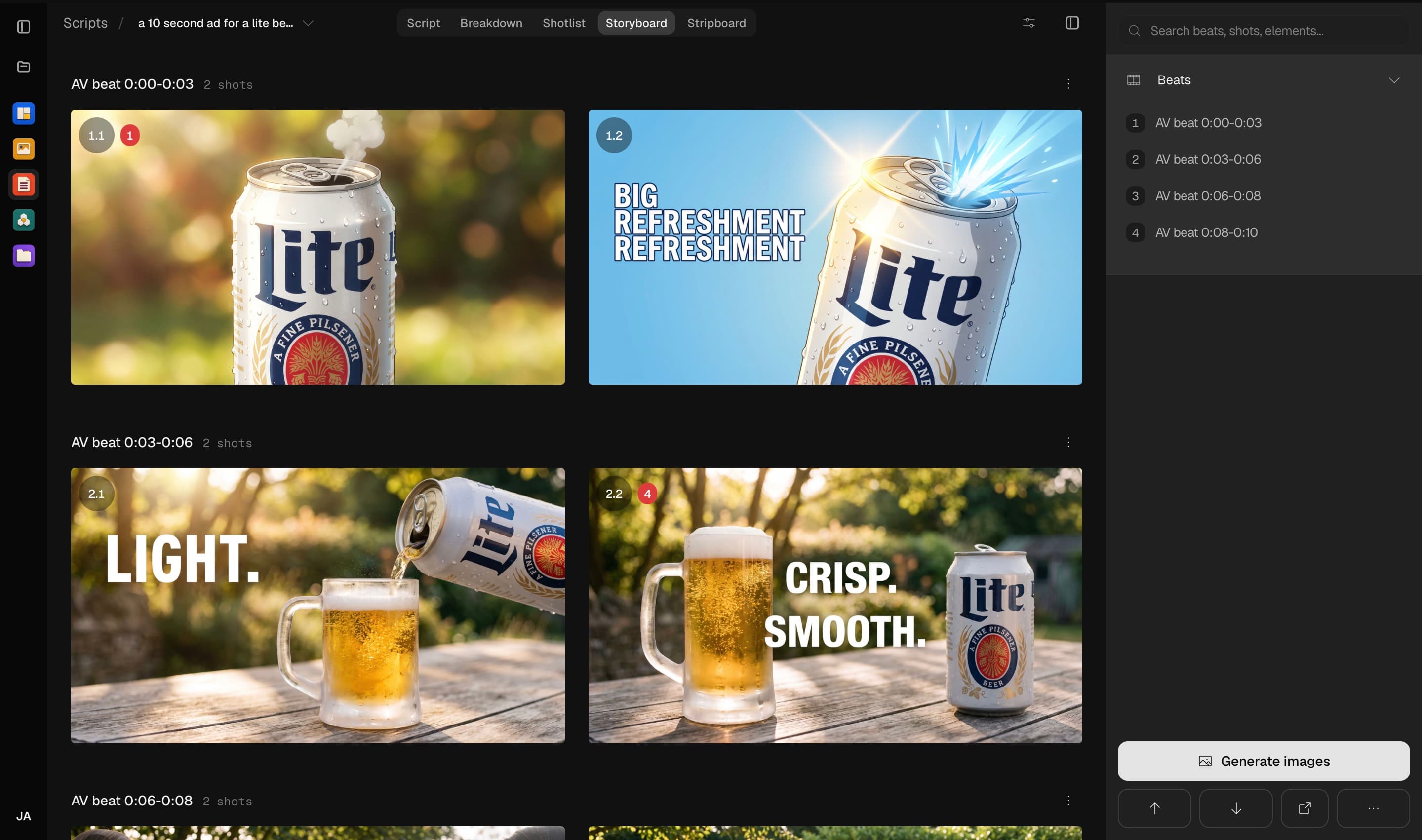
The full board, generated panel by panel from the shot list. Every frame lands in the project aspect ratio.
Three steps, no learning curve
Start from your script and its shot list.
Generate panels with consistent characters and looks.
Refine any panel, then export the board as a PDF.
Common questions
How do characters stay consistent across panels?
Characters, locations, props, and wardrobe are tracked as canonical entities with stable identities, and each one can be promoted to a reusable element. Panels reference those elements directly, so the same face and the same costume carry through the whole board.
Which aspect ratios are supported?
Boards generate in 16:9, 4:3, 9:16, 3:4, 21:9, 9:21, or 1:1. Platform presets fill this in for you: YouTube and broadcast projects default to 16:9, Shorts, TikTok, and Reels to 9:16, Instagram feed to 1:1.
Can I change a single panel without redoing the board?
Yes. Each panel regenerates independently, and you can inject or swap elements on one panel without touching the rest of the storyboard.
Do I need a finished script first?
You need a script and a shot list, which Breme generates from the script. Import a screenplay as PDF, Final Draft, Fountain, or plain text, or write it in the built-in editor.

AI Storyboard Generator, free to try
It lives inside Breme alongside every other feature, so you can make something and perfect it without leaving your project.