
Script to Video
A screenplay in, finished shots out. Take a script from page to moving footage in one workflow: import it, break it into shots, board the frames, then generate video with synced audio.
Breme takes a script to video through one connected workflow. Import a screenplay as PDF, Final Draft, Fountain, or plain text; a director agent breaks it into a shot list; the shots become storyboard frames; and each shot generates as video at up to 1080p, with native synced audio on supported models. Clips run roughly 3 to 30 seconds per shot depending on the model, in formats from 9:16 vertical to 21:9 widescreen.
| Script formats | PDF, Final Draft (.fdx), Fountain, plain text |
|---|---|
| Video models | Google Veo 3.1, Kling 3.0, Seedance 2.5, Luma Ray 3.2, Hailuo 3.0, and more |
| Resolution | Up to 1080p generation; 4K via video upscale |
| Clip length | 3 to 30 seconds per shot, model dependent, with extend |
| Aspect ratios | From 9:16 vertical to 21:9 widescreen, including 16:9 and 1:1 |
| Audio | Native synced audio on supported models, plus generated voiceover, music, and sound effects |
| Export | MP4 per shot; script as PDF, .fdx, Fountain, or pitch deck (.pptx) |
Compare this workflow: Breme vs RunwayBreme vs Google FlowBreme vs LTX StudioBreme vs HiggsfieldBreme vs Adobe Firefly
The "Signal Fade" script, carried from page to shots to board in the current Breme script studio. Each approved panel can then generate as video, one shot at a time.
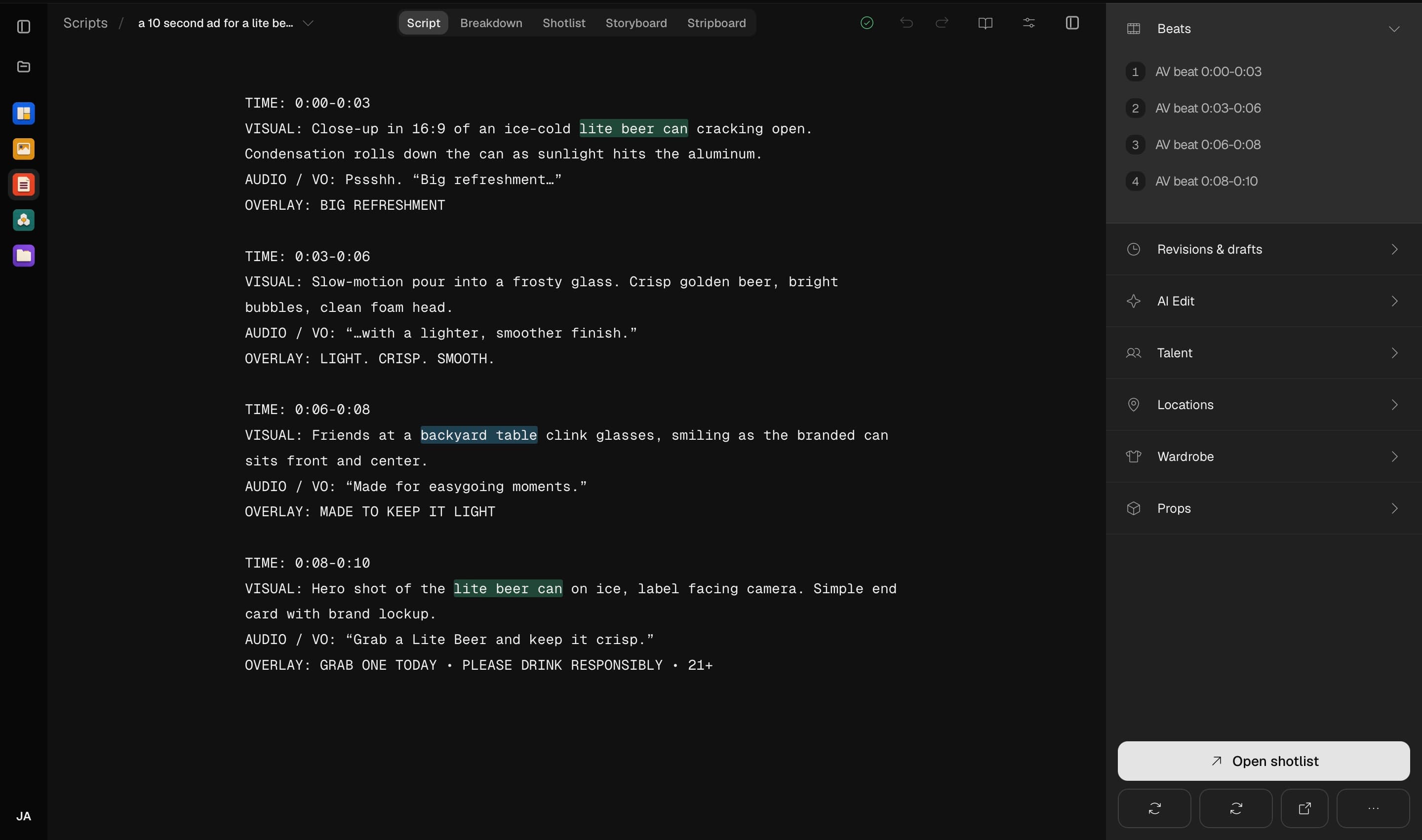
It starts with the script. Import a screenplay or write it here, then hand it to the director agent.
Three steps, no learning curve
Import your screenplay or write it in the editor.
Generate the shot list and storyboard.
Generate video shot by shot and download the MP4s.
Common questions
How long can each generated shot be?
Between 3 and 30 seconds depending on the model: Veo 3.1 generates 4, 6, or 8 second clips, Kling 3.0 runs 5 or 10 seconds, Happy Horse and Grok Imagine go up to 15, and Seedance 2.5 generates up to 30 seconds in a single shot. Shots can also be extended from an existing clip.
Does the generated video include sound?
Yes, two ways. Models like Veo 3.1, Kling 3.0, and Seedance 2.5 generate native synced audio with the footage, including spoken dialogue, and the audio studio adds voiceover, music, and sound effects on top.
What resolution does it output?
Generation runs at up to 1080p depending on the model, with 720p and 1080p the common targets. The video upscaler takes finished shots to 4K and can retime to 24, 30, 60, or 120 fps.
Do characters look the same from shot to shot?
Reference images carry your cast between shots: Seedance 2.5 accepts up to 30 references and Kling 3.0 Omni combines start and end frames with up to 7. Breme manages those references for you through reusable elements.

Script to Video, free to try
It lives inside Breme alongside every other feature, so you can make something and perfect it without leaving your project.