AI video prompt library
A good shot prompt names a subject, an action, and a camera, then fixes the look with one style term and one mood term. This is the full vocabulary Breme composes prompts from, 151 terms across camera, style, mood, action, and music, with the exact phrasing each one adds to the prompt.
Subject, action, camera, style, mood
Breme builds prompts from slots rather than free text. You name the subject, then pick from the vocabulary below for each slot, and the composer joins them in an order the models read well. The same five slots make a useful checklist even when you write the prompt by hand somewhere else.
A lighthouse keeper climbing a spiral staircase, low angle, push-in, cinematic, ominous
A chef cooking in a busy kitchen, close-up, shallow focus, documentary photography, joyful
A vintage car driving a coastal road at dusk, wide shot, drone, photorealistic, nostalgic
Each example reads subject first, then action, then camera, then style, then mood. Swap any single term to change one variable at a time; changing several at once makes it hard to tell what moved the result.
What a style term actually does
Same subject, same camera, same model, same seed. The only difference between these four frames is the style term at the end of the prompt.
A lighthouse keeper climbing a spiral staircase inside a lighthouse tower, low angle, [style]
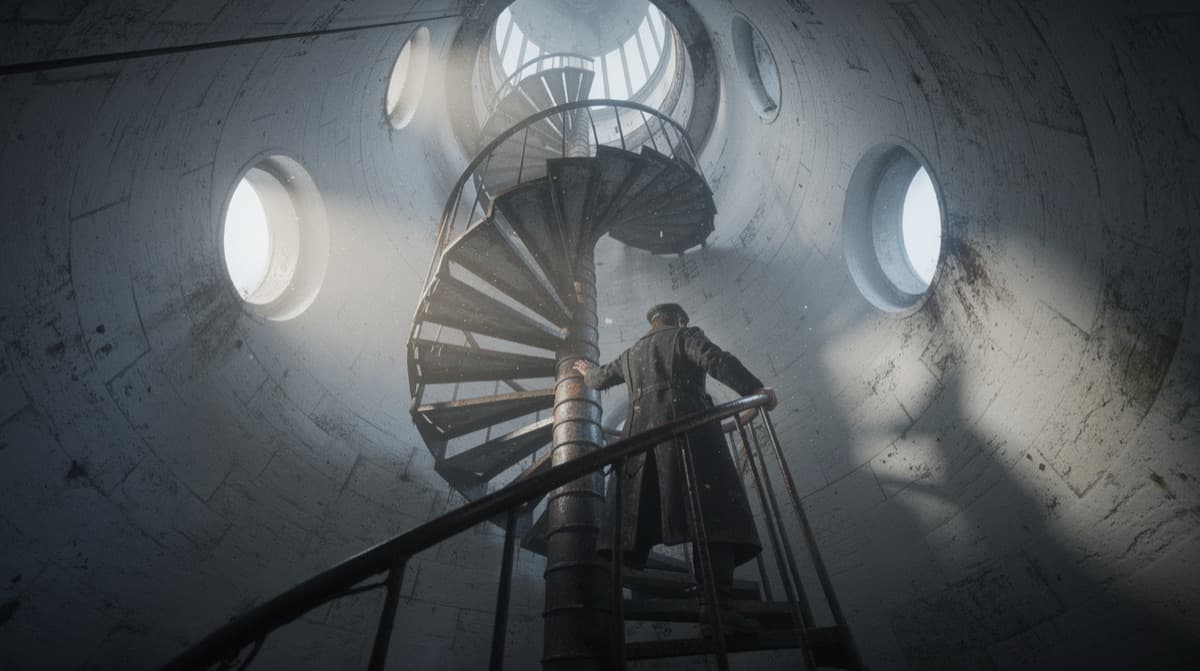
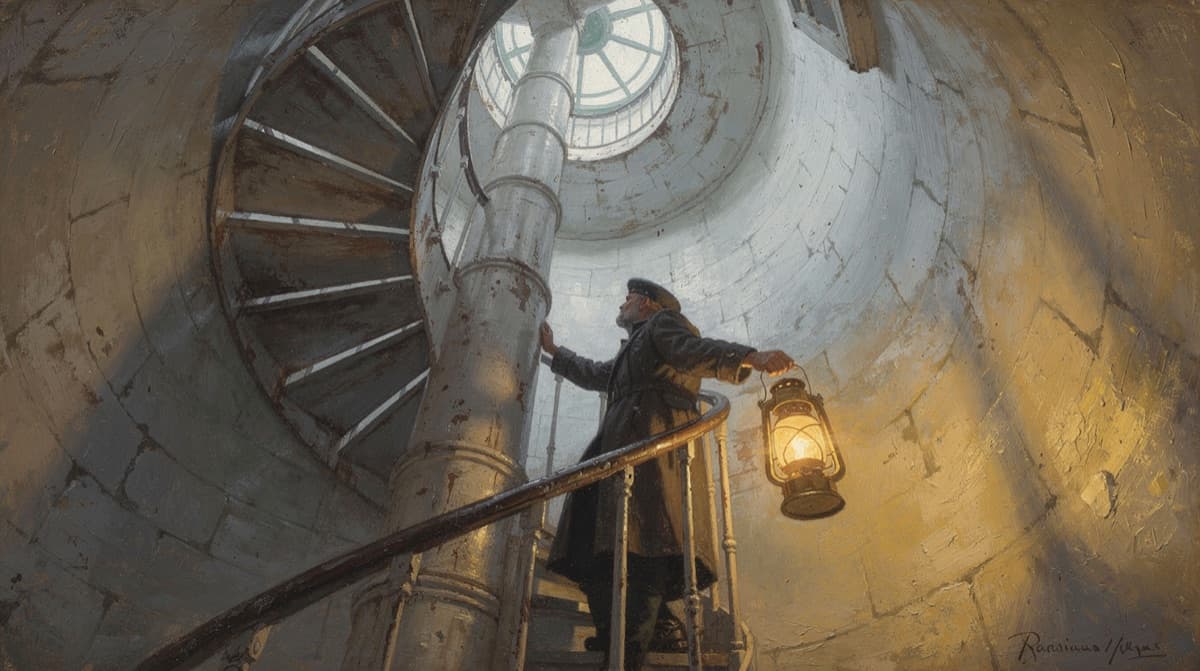
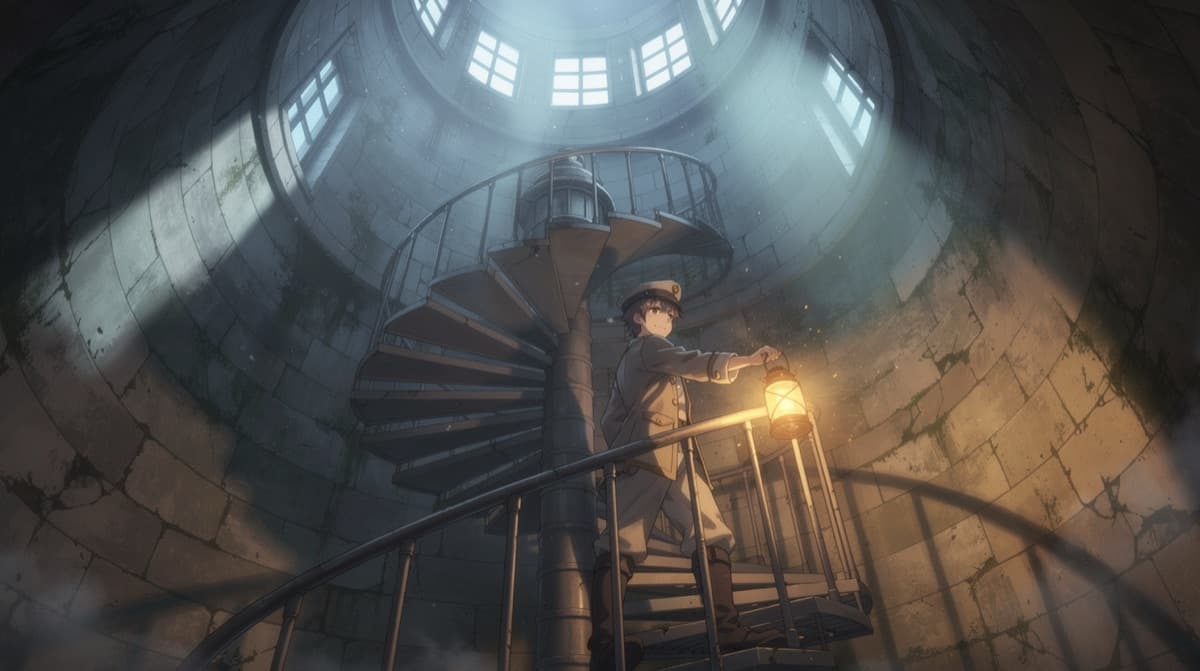
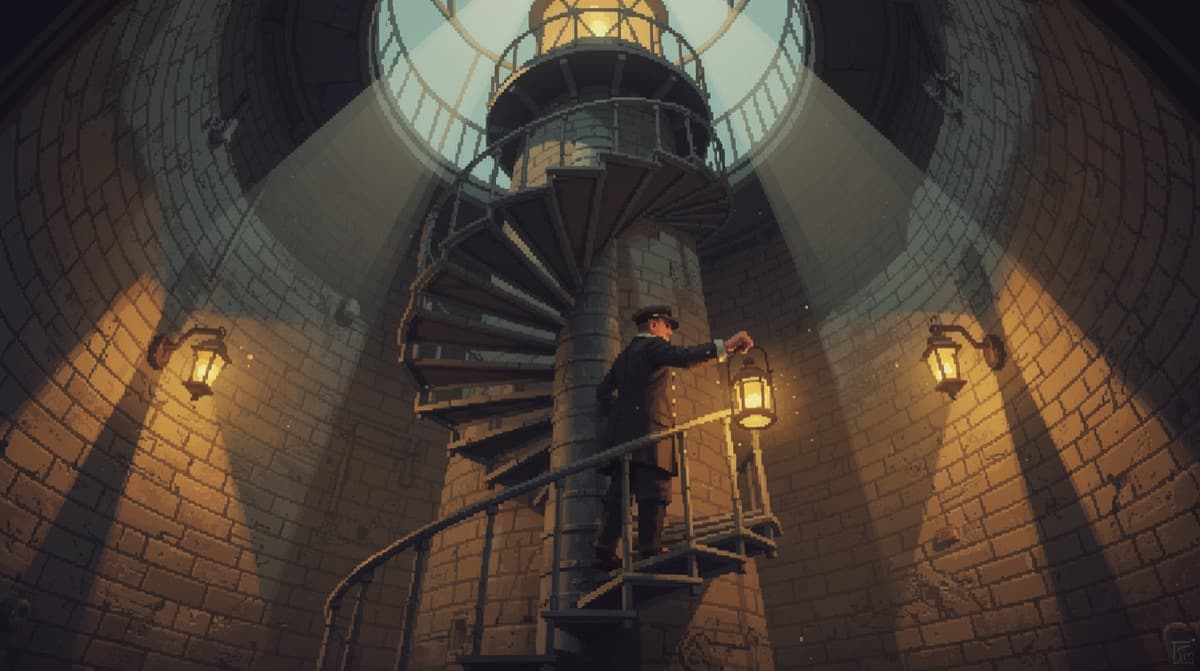
Camera
Shot size, angle, movement, and lens. Camera terms do the most work in a video prompt because they decide how the subject is framed and how the frame moves.
Shot size
- Close-up
- Close-up
- Medium Close-up
- Medium Close-up
- Extreme Close-up
- Extreme Close-up
- Wide Close-up
- Wide Close-up
- Medium Shot
- Medium Shot
- Close Shot
- Close Shot
- Medium Close Shot
- Medium Close Shot
- Wide Shot
- Wide Shot
- Extreme Wide Shot
- Extreme Wide Shot
- Full Shot
- Full Shot
- Medium Full Shot
- Medium Full Shot
- Long Shot
- Long Shot
- Extreme Long Shot
- Extreme Long Shot
Angle
- Eye Level
- Eye Level
- Low Angle
- Low Angle
- High Angle
- High Angle
- Overhead
- Overhead
- Shoulder Level
- Shoulder Level
- Hip Level
- Hip Level
- Knee Level
- Knee Level
- Ground Level
- Ground Level
- Dutch (left)
- Dutch (left)
- Dutch (right)
- Dutch (right)
Framing
- Single
- Single
- Two Shot
- Two Shot
- Three Shot
- Three Shot
- Over-the-Shoulder
- Over-the-Shoulder
- Over-the-Hip
- Over-the-Hip
- Point of View
- Point of View
Movement
- Static
- Static
- Pan
- Pan
- Tilt
- Tilt
- Swish Pan
- Swish Pan
- Swish Tilt
- Swish Tilt
- Tracking
- Tracking
- Push-in
- Push-in
- Pull-out
- Pull-out
Rig
- Sticks
- Sticks
- Handheld
- Handheld
- Gimbal
- Gimbal
- Slider
- Slider
- Jib
- Jib
- Drone
- Drone
- Dolly
- Dolly
- Steadicam
- Steadicam
- Crane
- Crane
Lens
- Macro
- Macro
- Fisheye
- Fisheye
- Anamorphic
- Anamorphic
- Telephoto
- Telephoto
- Wide-angle
- Wide-angle
- Rack Focus
- Rack Focus
- Shallow Focus
- Shallow Focus
- Deep Focus
- Deep Focus
- Tilt-Shift
- Tilt-Shift
- Zoom
- Zoom
Style
The visual treatment, from photographic looks to painting, illustration, digital, and vintage print styles. One style term is usually enough; stacking several muddies the result.
Photographic
- Photorealistic
- photorealistic
- Cinematic
- cinematic film still, anamorphic, shallow depth of field
- Documentary
- documentary photography, natural light, candid
- Editorial / fashion
- editorial fashion photography, studio lighting, high-end magazine
- Film noir
- film noir, high-contrast black and white, hard shadows
- Vintage film
- retro film emulation, 35mm grain, faded color
- Commercial / product
- clean commercial product photography, softbox studio lighting
Painterly & illustrated
- Illustration
- hand-drawn illustration
- Anime
- anime, cel-shaded
- Comic / graphic novel
- comic book ink and flat color
- Watercolor
- watercolor painting
- Oil painting
- oil painting, visible brushwork
- Concept art
- cinematic concept art, painterly
- Storybook
- children's storybook illustration
3D & motion
- 3D render
- polished 3D CGI render, physically based materials
- Claymation
- stop-motion claymation, tactile
- Motion graphics
- flat vector motion-graphics design
Stylized
- Minimalist
- minimalist, clean negative space
- Surreal
- surreal, dreamlike, ethereal
- Cyberpunk
- neon cyberpunk
Mood
The emotional register of the shot. Mood steers lighting, color, and pacing without naming any of them directly.
Calm
- Serene
- serene
- Peaceful
- peaceful
- Contemplative
- contemplative
- Nostalgic
- nostalgic
- Dreamy
- dreamy
Bright
- Joyful
- joyful
- Playful
- playful
- Hopeful
- hopeful
- Whimsical
- whimsical
Tense
- Tense
- tense
- Mysterious
- mysterious
- Ominous
- ominous
- Eerie
- eerie
- Foreboding
- foreboding
Strong
- Epic
- epic
- Heroic
- heroic
- Dramatic
- dramatic
- Intense
- intense
Dark
- Melancholic
- melancholic
- Lonely
- lonely
- Somber
- somber
Action
What the subject is doing. Video models need a verb to animate; a subject with no action tends to return a near-still frame.
Movement
- Walking
- walking
- Running
- running
- Flying
- flying
- Falling
- falling
- Dancing
- dancing
- Spinning
- spinning gracefully
- Jumping
- mid-jump
Stillness
- Standing
- standing
- Sitting
- sitting
- Lying down
- lying down
- Sleeping
- sleeping peacefully
- Reading
- reading
- Waiting
- waiting quietly
Interaction
- Embracing
- embracing
- Fighting
- in combat
- Talking
- in conversation
- Looking back
- looking back over the shoulder
- Reaching out
- reaching out
World
- Exploring
- exploring
- Climbing
- climbing
- Swimming
- swimming
- Driving
- driving
- Riding
- riding
Craft
- Drawing
- drawing
- Painting
- painting
- Cooking
- cooking
- Building
- building something
Music
Genre terms for the audio composer. Pair one with a tempo and a mood to score a finished cut.
Score
- Cinematic
- cinematic orchestral
- Ambient
- ambient drone
- Classical
- classical
Popular
- Pop
- pop
- R&B
- R&B
- Soul
- soul
- Hip-hop
- hip-hop beat
- Trap
- trap beat
Rock
- Rock
- rock
- Indie rock
- indie rock
- Punk
- punk rock
- Metal
- heavy metal
Electronic
- Electronic
- electronic dance
- House
- house music
- Techno
- techno
- Synthwave
- synthwave
- Lo-fi
- lo-fi beats
Roots
- Jazz
- cool jazz quartet
- Blues
- blues
- Country
- country
- Folk
- acoustic folk
Dance
- Funk
- funk groove
- Disco
- disco
World
- Afrobeats
- afrobeats
- Reggae
- reggae
- Latin
- latin music
- World
- world music
Common questions
What makes a good AI video prompt?
A subject, an action, and a camera instruction cover most of it. Video models need a verb to animate, so a subject with no action often returns a near-still frame. Add one style term and one mood term to fix the look, then stop. Long prompts that stack many competing adjectives usually produce worse results than short specific ones.
How many style terms should I use at once?
One, in most cases. Style terms compete with each other, so combining photorealistic with oil painting and pixel art gives the model contradictory instructions. Pick the dominant look, then use mood to shade it.
Do I have to write prompts by hand in Breme?
No. The generate view exposes these terms as chips grouped by slot, so you tap the camera, style, and mood you want and Breme composes the final prompt. This page lists the same vocabulary along with the exact phrasing each chip contributes.
Do these prompts work on other AI video tools?
Largely yes. The camera, style, and mood vocabulary here is standard film language rather than syntax specific to one model, so it transfers to most text-to-video and text-to-image systems. What differs between tools is how much weight each model gives to camera movement.

Stop writing prompts from scratch
Every term here is a chip in Breme. Tap the shot you want and the prompt composes itself.