Make your first AI video
Describe a shot, generate a clip on your project canvas, and export the result
To make your first AI video in Breme, open your project and choose Project canvas. In the Create panel, choose Video. Describe one shot, choose a model and its available settings, then press Generate. Review the completed video in the app and select its frame to open Export.
Before you start
- A Breme account
- A project and sufficient generation credits
Open the video composer
Open your project from the dashboard, then choose Project canvas in the project workspace. In the Create panel, open the Create picker and choose Video. If the panel is collapsed, open it to reach the composer.
Describe one shot
Describe the subject, action, setting, and camera movement. Keep your first clip to one clear shot. In this example, an explorer and their robot dog discover a giant metal ring partly buried in the desert sand in broad daylight.
A cloaked science-fiction explorer and their robot dog stand on a desert dune in broad daylight, looking at a colossal metal ring partly buried in the sand below them. The robot dog turns its head toward the ring. Slow camera push forward, cinematic wide shot, harsh midday sunlight, photorealistic. One continuous five-second shot, no cuts, no text or logos.
Start with text only. Add reference images later when you need to guide a particular subject or composition.
Choose the model and settings
Open the model picker and choose Hailuo 3.0 to follow the video. Set the aspect ratio to 16:9, resolution to 768P, and duration to five seconds. Check the displayed credit cost before pressing Generate. Other models offer different controls and values, so review the settings whenever you change models.
Generate and review
Press Generate. A pending video frame appears on the canvas while the clip is created. When it finishes, play the result in the app. Check the explorer, robot dog, discovery, and camera movement against your prompt. If something needs changing, refine that part of the description and generate another version.
Review the export options
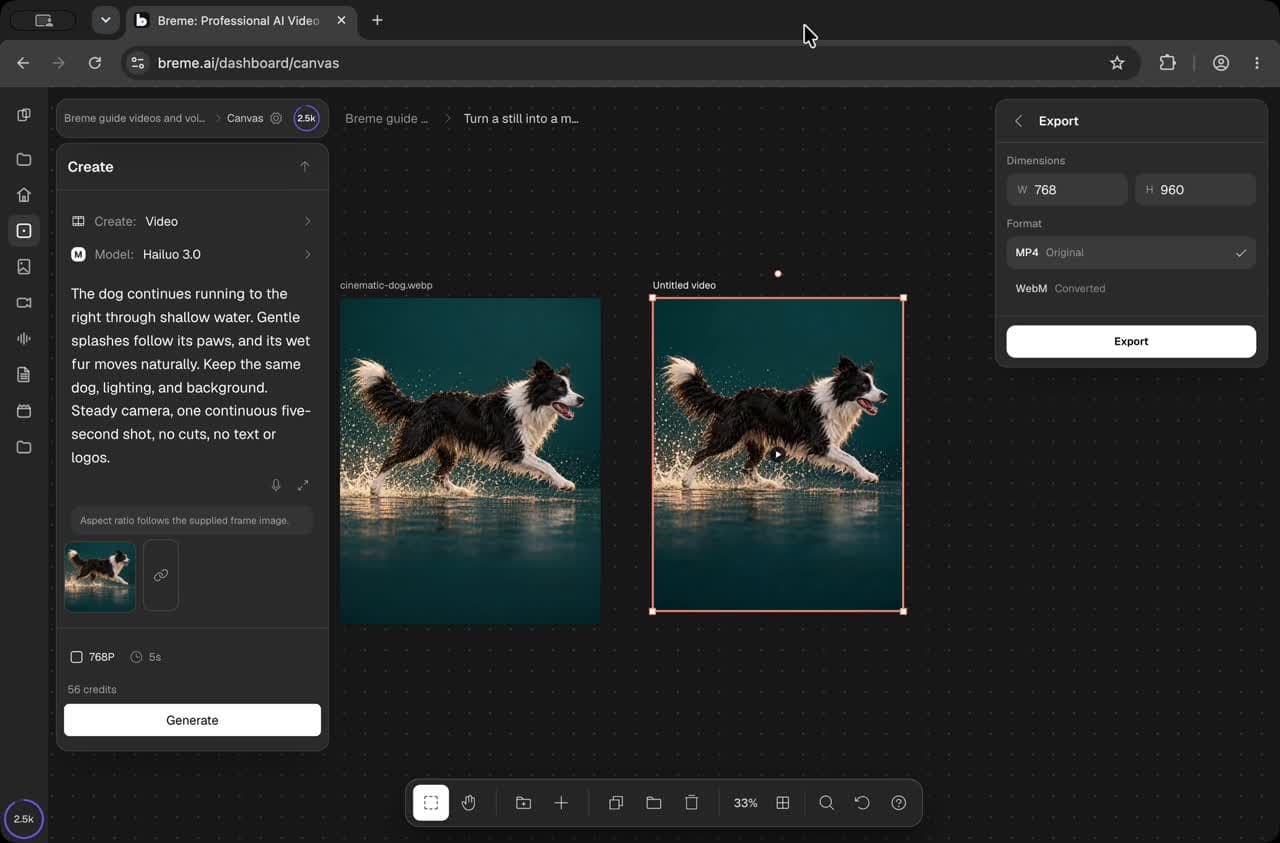
Select the completed video frame and choose Export in its actions panel. Review the dimensions and available file formats. The walkthrough stops at this view. When you are ready to save your clip, choose a format and press Export.
Common questions
Features in this guide: AI Video Generator