Extend a video
Generate a continuation from an existing clip and review the new result
To extend a clip in Breme, open your project, choose Project canvas, and select a completed video frame and choose Extend video when available. Select a compatible model, describe the continuation, and review its duration settings and credit cost. Press Extend to create a separate video result. Watch the result and check its continuity and length before exporting.
Before you start
- A completed video in a Breme project
- Sufficient credits and access to a compatible extension model
Select the source clip
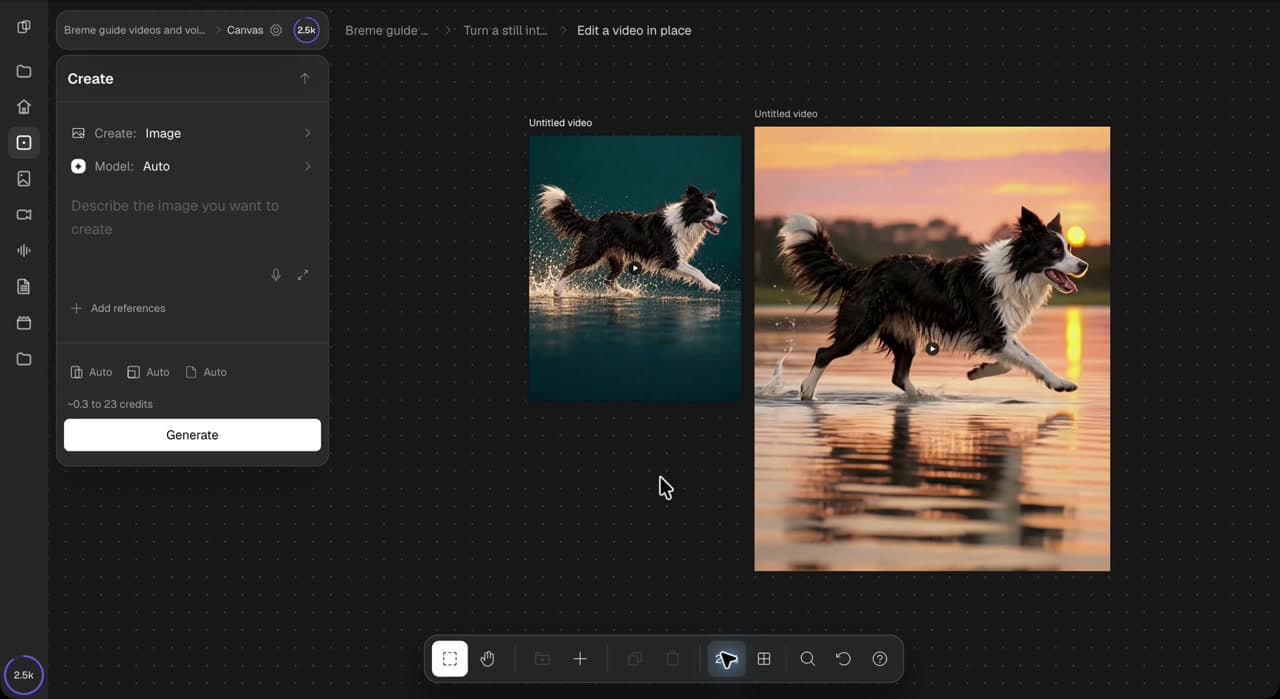
Open your project from the dashboard and choose Project canvas. Select a completed video frame, then choose Extend video in its actions panel. Check the source thumbnail. The walkthrough starts with a five-second clip of a dog running through shallow water.
Describe the continuation
Describe what happens next and the details you want to preserve. Ask for one continuous action with consistent lighting, background, and camera movement. In this example, the dog keeps running to the right through shallow water.
Continue the dog running to the right through shallow water. Keep the same dog, gentle splashes, lighting, background, and steady camera. One continuous shot, no cuts, text, or logos.
Review the settings and extend
The recorded panel uses Grok Extend. Set Duration to six seconds to follow the walkthrough, review the source and displayed credit cost, then press Extend. A pending result appears on the canvas while the continuation is created. Available models and settings depend on your source and plan.
Play and compare the result
Play the full result in the app and compare it with the original. Check the beginning, transition, dog’s appearance and movement, splashes, camera, and total length. The recorded result is about 11.2 seconds long; the generation wait is trimmed in the tutorial. Review your own output rather than assuming the same duration or preservation of every original frame. The original remains available alongside the new version.
Review the export options
Select the result and choose Export in its actions panel. Review the dimensions and available formats. The recorded result offers MP4 Original and WebM Converted. When you are ready to save the clip, choose a format and press Export.
Common questions
Features in this guide: Extend Video