Create consistent characters across scenes
Build reusable references for characters, props, and settings
Keep your characters recognizable across scenes with a production bible: a shared collection of character, prop, and setting references. Create them in Canvas, then attach them to compatible image or video prompts using the @ mention picker.
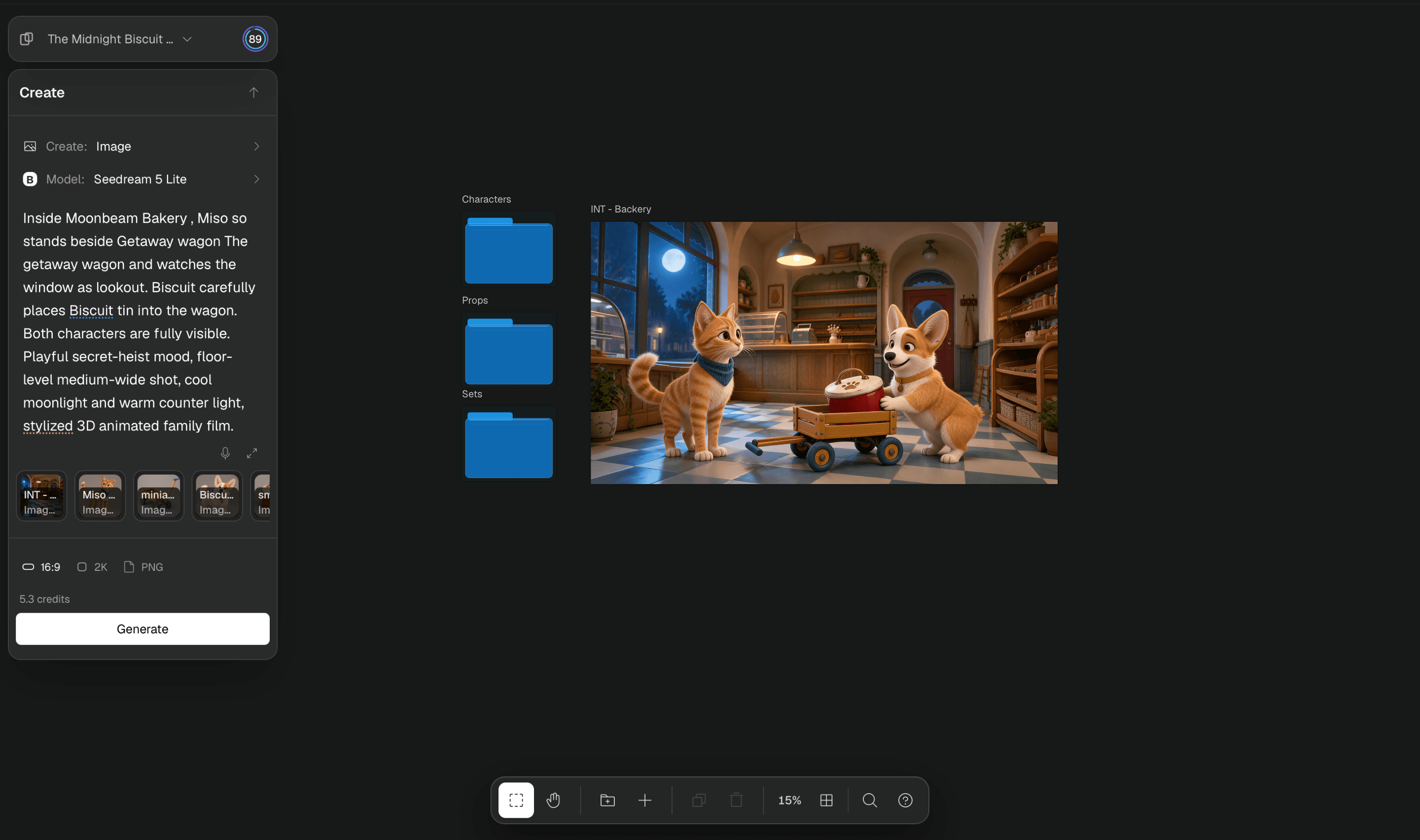
Follow Miso and Biscuit from individual references to a shared bakery scene in the walkthrough below.
Before you start
- A Breme account
- A project and sufficient generation credits
Choose an element type in Canvas
Open Canvas in your project. In the Create picker, choose Character, Prop, or Setting under Reusable references. Keep Output on Image for your first visual reference. On a narrow screen, use Open create panel to reach these controls.

Generate the first reference
Describe the details that define the element, choose an image model and settings, then press Generate. Breme creates a reusable folder and places the result inside it. Wait for the image to finish and check that it shows the identity clearly.
A minimal luxury electric car in deep red, distinctive slim headlights, three-quarter front view, neutral studio background, realistic product photograph
Name and develop the folder
Return to the project canvas. Double-click the folder label, or double-tap it on a touch screen, and give it a recognizable name such as Echelon. Open the folder again to generate further images when you need another angle or useful detail of the same element. Return to the project canvas before creating the next element.
To reuse images you already have on desktop, place them in a normal folder, then choose Make reusable reference from its context menu and select Character, Prop, or Setting.
Attach the element to a prompt
Return to the project canvas and choose Image or Video in Create. Use a model that accepts visual references. Type @ in the prompt and choose your named element from the picker. Check that its reference tiles are attached and resolve any model or reference-limit notice before pressing Generate.

Choose each element from the picker when you want to combine a character, prop, and setting. Model input limits may prevent attaching every representation in every folder.
Review consistency across results
Compare the generated shot with your reference images. Check the details that matter to the production, such as the face, silhouette, materials, and color. Refine the prompt or references when they drift, and keep the folder for later shots in the same project.